AI Conversation - user guide
Getting started
- Open two AI assistants, each in its own browser tab.
- Open the extension and check in the AIs tab that each assistant is set up.
- Merge the two browser tabs side by side.
- In the Conversation tab, write the topic and press Start conversation.
If the tabs are not merged when the conversation starts, merge them yourself.
This extension passes messages between AI assistants, so every use depends on keeping the rules of each assistant.
The tabs of the extension
The extension opens in the browser's side panel. It has five tabs.
AIs
Shows whether the page you have open is a set-up AI assistant. Below it is the list of the assistants that are set up, and a list of the supported assistants.
Each assistant has a name, for example Orion or Atlas. You can change the names. Two assistants cannot have the same name.
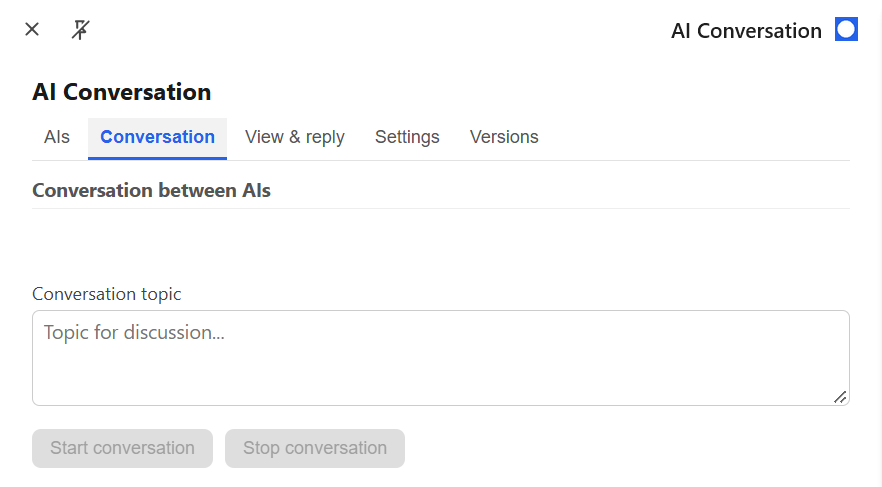
Conversation
Write the topic of the conversation, or the details for the discussion, then start or stop the conversation.
While a conversation is running, you cannot change the AIs and Settings tabs.
View & reply
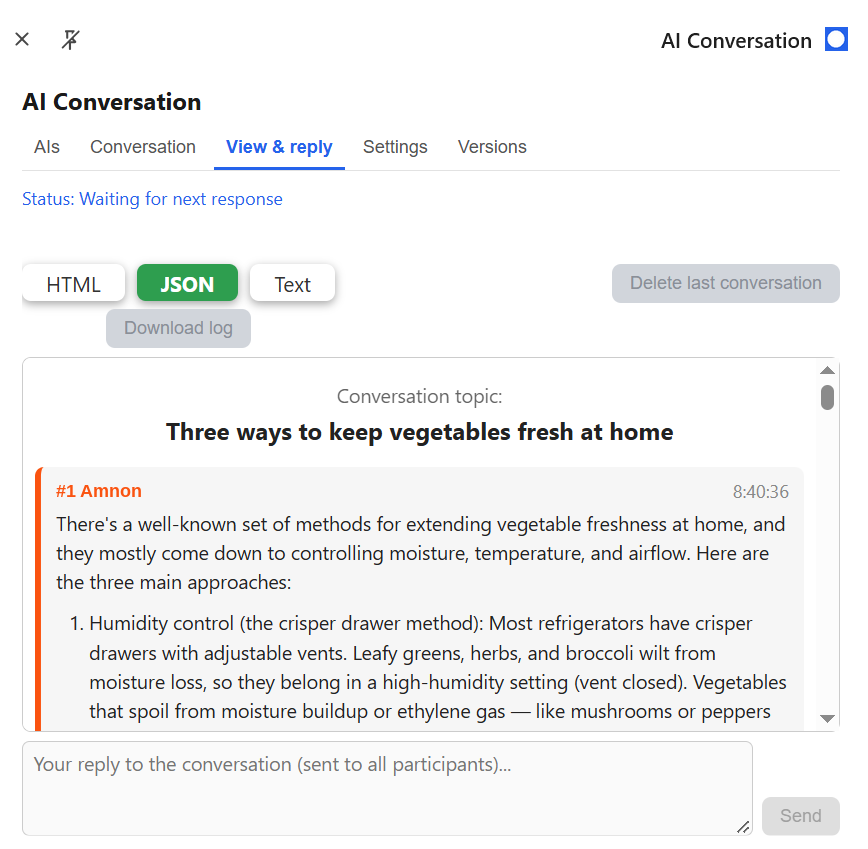
The conversation appears here, with a small delay. You can scroll while it is running.
While a conversation is running, you can reply to all the assistants, or answer a question if they ask you one.
The last conversation is saved in the browser. When it ends, you can save it in three formats: HTML, JSON or Text. You can also delete it from the browser.
Settings
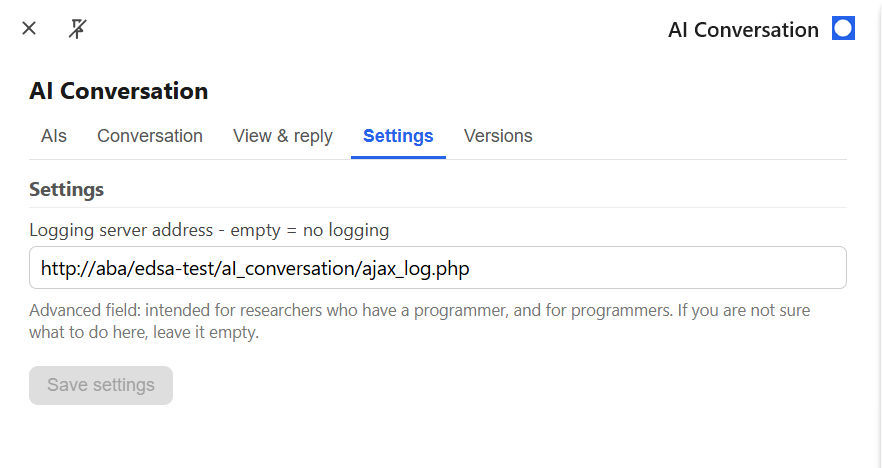
Lets you send the conversation log to an external server with a POST request. If you are not a programmer and do not work with one, leave this field empty.
Versions
Shows the version of each file of the extension. It is useful when you contact us about a problem.
During a conversation
The assistants answer each other in turn, automatically. Each reply reaches the other assistant and appears in the View & reply tab.
When an assistant asks you something. The paragraph in which the assistant addresses you is shown in red. Write your answer in the View & reply tab. It is sent to all the assistants.
How a conversation ends. When the assistants have finished the discussion, the last one asks whether you have anything more to discuss. If you do not answer, they wait. If you answer that there is nothing more, each assistant says goodbye and leaves, and the conversation ends. You can also press Stop conversation at any time.
An assistant that stops responding. The extension marks it as not responding. When it responds again, it receives the messages it missed.
Usage limits. If an assistant reaches its usage limit, it leaves the conversation. If only one assistant remains, the conversation ends.
Saving and deleting a conversation
Only the last conversation is kept, in the browser. When it ends, press Download log to save it. Choose the format first: HTML, JSON or Text.
Press Delete last conversation to delete it from the browser. The conversation itself stays in the chat history of each AI assistant, and on the logging server if you set one.
Downloading and deleting are not available while a conversation is running.
Problems and support
The pages of the assistants can change, so it may not be possible to add an assistant to a conversation until we update the extension for the change. You may also want to use an assistant that is not on the list.
In both cases, send us the address of the assistant, so that we can update the extension as soon as we can.
You can also contact us about the extension for other reasons.